Calculation of event consumption
Event consumption is an amount of energy associated with a time-specific event. The workflow automatically detects the start and end of the event using a configurable threshold value.
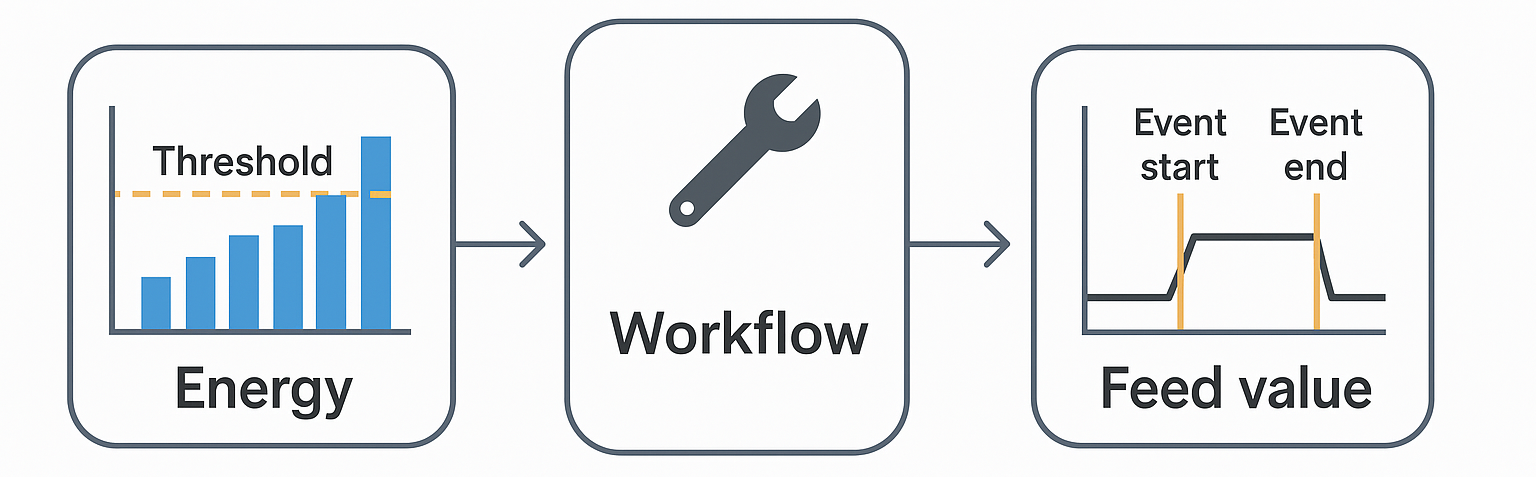
The total for the event time range is written to the specified target measured variable together with the start timestamp (event start) and end timestamp (event end). If the event starts at the very first value of the time interval, there is no guarantee that this is the actual start of the event. For this reason, the event is not saved. If the event does not end within the specified time range, it will not be saved either. Only target measured variables of the “Feed rate” type with an interval value of 0 (none) can be used. The workflow applies only to the “Load profile” type.
Where can I find this workflow? Data Collection section => Metering point => Measured variables => Automation |
Parameters
Name/Designation/Title | A meaningful text entry. The designation is used for identification and search purposes and can be changed at any time. |
Time span | Defines how the time span of the action is determined.
|
Last [Export / Calculation] date | The timestamp of the record processed by the last successful operation. Only active if “Latest” is selected as the time span. |
Trigger condition | Selection – Defines the triggering condition.
|
Trigger threshold – Event start | Number – Specifies the starting value for the event.
|
Trigger threshold – End of event | Number – Specifies the starting value for the event.
|
Target OBIS | Selection – Choose the measured variable to be used in the workflow / report. |